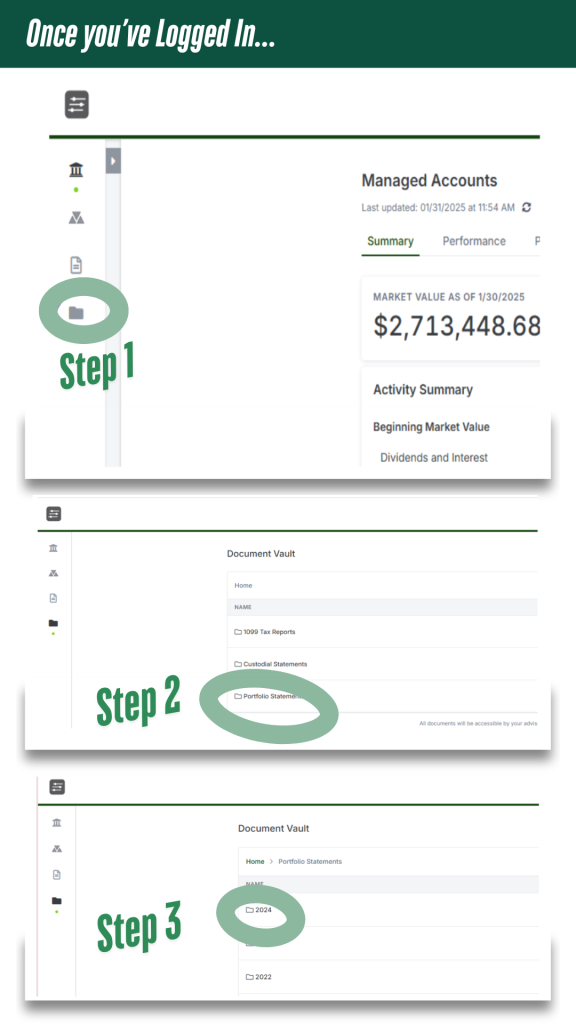
Once you are logged in, on the main page, you will see household values with YTD returns as of the previous day’s market close. The main page will also reflect the individual accounts and values (not shown in images)
On the very left sidebar are 4 icons that will take you to various places in the portal. To retrieve your Camarda Quarterly statement select the last tab, a file folder icon (“Step 1” in image).
This will take you to the Document Vault which will have individual folders for 1099 tax reporting information provided by the Custodian, Custodial Statements, and a folder for Portfolio Statements (“Step 2”) which will house your Camarda quarterly statement by year.
Select 2024’s folder (“Step 3”) to view your statements.